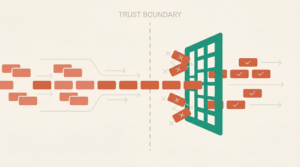
The Problem: The Shopify 100 Variant Limit is Killing Your Sales
Have you ever dealt with the Shopify 100 Variant limit? You’ve built an incredible product line. Custom furniture with dozens of wood finishes. Personalized jewelry with engraving options. Apparel in 50+ colors with custom embroidery. Your customers love the ability to personalize—it’s what sets you apart from mass-market competitors.
Then you hit Shopify’s brick wall: the Shopify 100 Variant limit.

Shopify restricts you to just 3 option sets (like Size, Color, Material) with a maximum of 100 total variant combinations. For stores selling truly customizable products, this isn’t just limiting—it’s business-crushing.
You’re forced into impossible choices:
- Create separate product listings for each finish (destroying your catalog organization and SEO)
- Simplify your offerings (removing the customization that makes you unique)
- Manually handle custom orders via email (creating fulfillment nightmares and inventory chaos)
- Turn away customers who want combinations you can’t list
Meanwhile, every day you’re losing sales to competitors who figured out how to offer the customization your customers are demanding.
The Agitation: Every Workaround Creates New Problems
You’ve probably tried the “obvious” solutions, and discovered they all have fatal flaws:
Creating duplicate products? Your catalog becomes a nightmare. Customers can’t find what they want. Your inventory tracking breaks down. SEO suffers from duplicate content. You need to update prices across hundreds of product pages every time costs change.
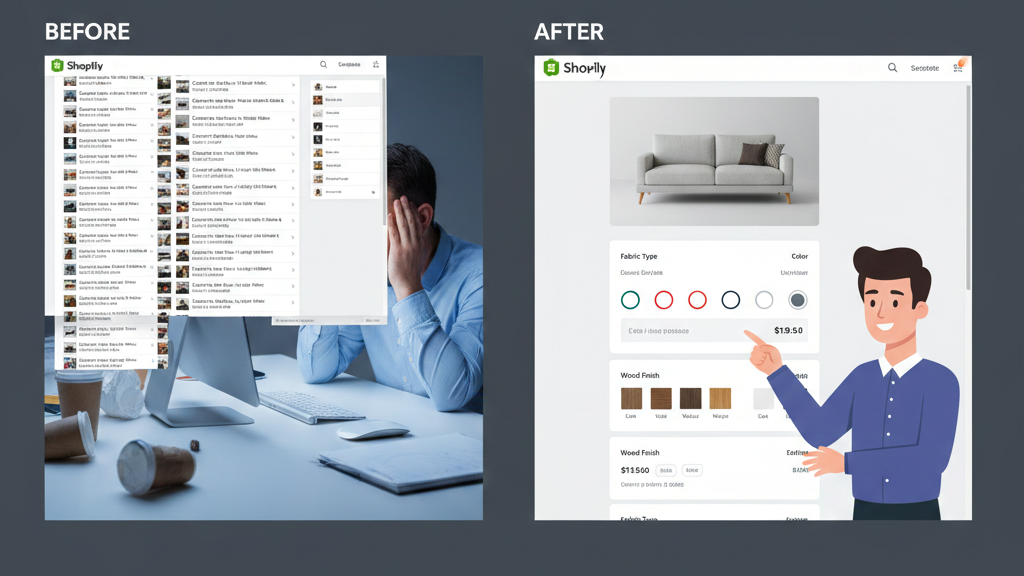
Using product options apps? Many add-on apps create variants in the background anyway, so you still hit the Shopify 100 Variant limit. Others create orphaned line items that don’t sync with your inventory management system, shipping integrations, or fulfillment partners.
Taking orders via contact forms? You’ve turned your streamlined e-commerce operation into a manual quoting service. Every order requires back-and-forth emails, custom invoices, and manual payment processing. Your conversion rate plummets because customers want to check out now, not wait 24 hours for a quote.
Limiting your options? You’re literally turning down revenue to accommodate Shopify’s technical constraints. That’s backward.
The variant limit isn’t just a technical annoyance—it’s strangling your growth and forcing you to compete with one hand tied behind your back.
The Solution: Bypass Variants Entirely with Line Item Properties and Custom Logic
Here’s what most merchants don’t realize: you don’t need variants to handle product customization. Shopify’s variant system is just one way to capture product options—and for complex products, it’s the wrong way.
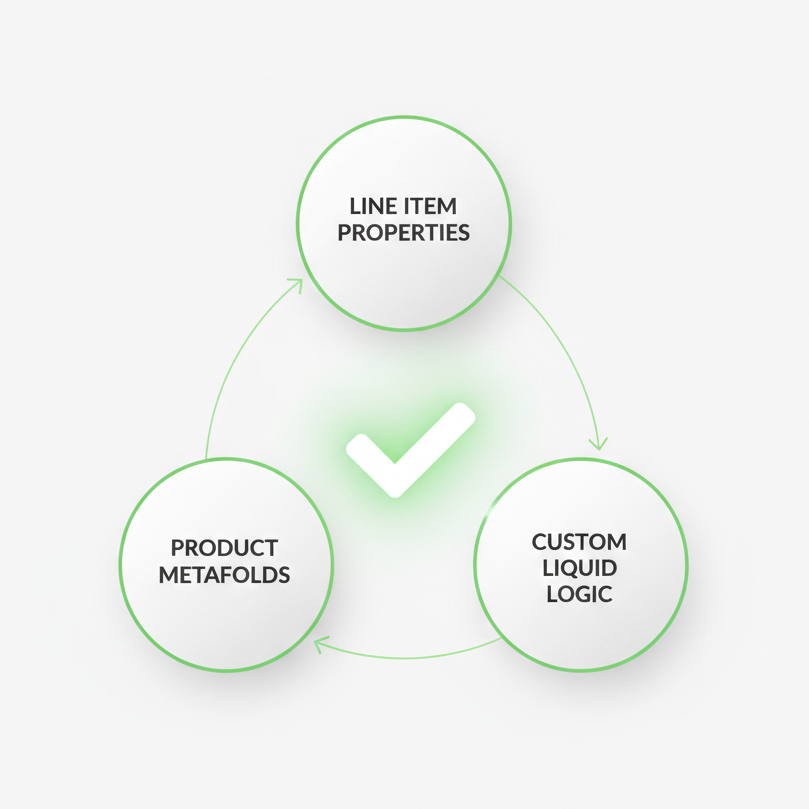
The real solution combines three powerful Shopify features that work together to handle infinite customization:
- Line Item Properties – Custom data attached to cart items
- Product Metafields – Store configuration data for your products
- Custom Liquid Logic – Dynamic pricing and option handling
This approach lets you offer 500+ combinations, custom text inputs, file uploads, conditional pricing, and complex dependencies—all without creating a single variant.
Let me show you exactly how to implement this.
Technical Implementation: Building a Variant-Free Product Configurator
Step 1: Set Up Your Product Structure
Instead of creating variants, you’ll create a single “base” product for each customizable item.
In Shopify Admin:
- Create your product with just the base price (the starting price before customizations)
- Leave the variant options empty—you’ll only have the default variant
- Add clear product images and description
Pro tip: Set your base product to “Continue selling when out of stock” since you’re not tracking inventory by variant anymore. You’ll handle inventory differently (more on that below).
Step 2: Create Custom Product Metafields
Product metafields let you store the configuration options for each customizable product.
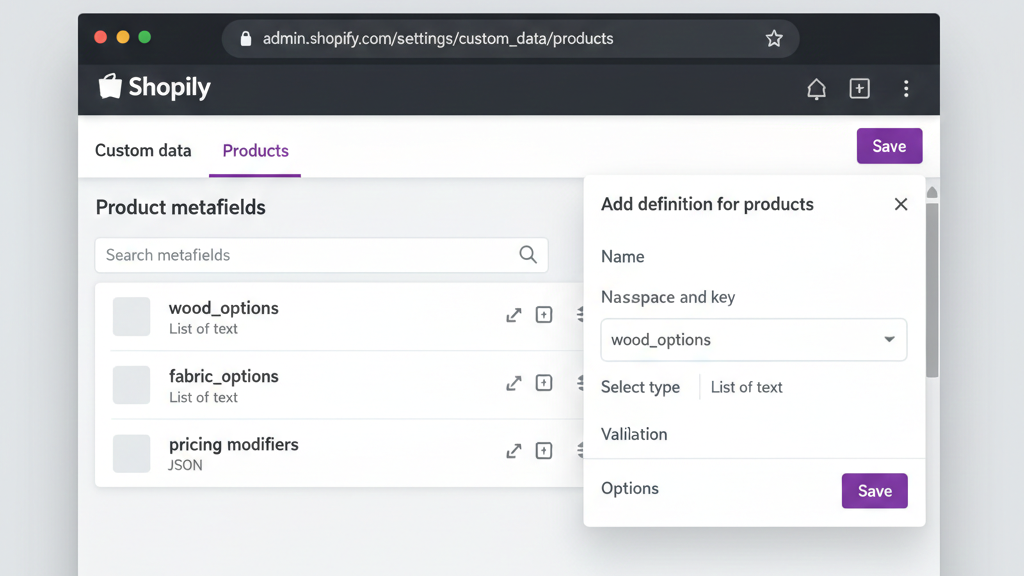
In Shopify Admin:
- Go to Settings > Custom Data > Products
- Create metafields for your option sets:
custom.wood_options(list.single_line_text_field) – Store wood types: [“Oak”, “Walnut”, “Maple”, “Cherry”…]custom.fabric_options(list.single_line_text_field) – Store fabric choicescustom.finish_options(list.single_line_text_field) – Store finish optionscustom.pricing_modifiers(json) – Store price adjustments for each option
Example pricing modifiers JSON:
{
  "wood": {
    "Oak": 0,
    "Walnut": 150,
    "Exotic Teak": 500
  },
  "fabric": {
    "Standard": 0,
    "Premium Leather": 300,
    "Designer Textile": 450
  }
}
Step 3: Build the Product Page Configurator
Now you’ll modify your product page template to display options dynamically and calculate pricing in real-time.
Edit your theme’s product-template.liquid or create a custom section:
{% comment %} Get options from metafields {% endcomment %}
{% assign wood_options = product.metafields.custom.wood_options.value %}
{% assign fabric_options = product.metafields.custom.fabric_options.value %}
{% assign pricing_data = product.metafields.custom.pricing_modifiers.value %}

<form action="/cart/add" method="post" id="product-form">
  <input type="hidden" name="id" value="{{ product.selected_or_first_available_variant.id }}">

  {% comment %} Wood Selection {% endcomment %}
  <div class="option-group">
    <label>Wood Type</label>
    <select name="properties[Wood Type]" id="wood-select" required>
      <option value="">Select Wood Type</option>
      {% for wood in wood_options %}
        <option value="{{ wood }}" data-price-modifier="{{ pricing_data.wood[wood] | default: 0 }}">
          {{ wood }}
          {% if pricing_data.wood[wood] and pricing_data.wood[wood] > 0 %}
            (+{{ pricing_data.wood[wood] | money }})
          {% endif %}
        </option>
      {% endfor %}
    </select>
  </div>

  {% comment %} Fabric Selection {% endcomment %}
  <div class="option-group">
    <label>Fabric Type</label>
    <select name="properties[Fabric Type]" id="fabric-select" required>
      <option value="">Select Fabric</option>
      {% for fabric in fabric_options %}
        <option value="{{ fabric }}" data-price-modifier="{{ pricing_data.fabric[fabric] | default: 0 }}">
          {{ fabric }}
          {% if pricing_data.fabric[fabric] and pricing_data.fabric[fabric] > 0 %}
            (+{{ pricing_data.fabric[fabric] | money }})
          {% endif %}
        </option>
      {% endfor %}
    </select>
  </div>

  {% comment %} Custom Text Input {% endcomment %}
  <div class="option-group">
    <label>Custom Engraving (optional)</label>
    <input type="text" name="properties[Custom Engraving]" maxlength="50" placeholder="Enter text (50 characters max)">
  </div>

  {% comment %} Dynamic Price Display {% endcomment %}
  <div class="price-display">
    <span class="base-price" style="display:none;">{{ product.price }}</span>
    <strong>Total Price: <span id="calculated-price">{{ product.price | money }}</span></strong>
  </div>

  <button type="submit">Add to Cart</button>
</form>
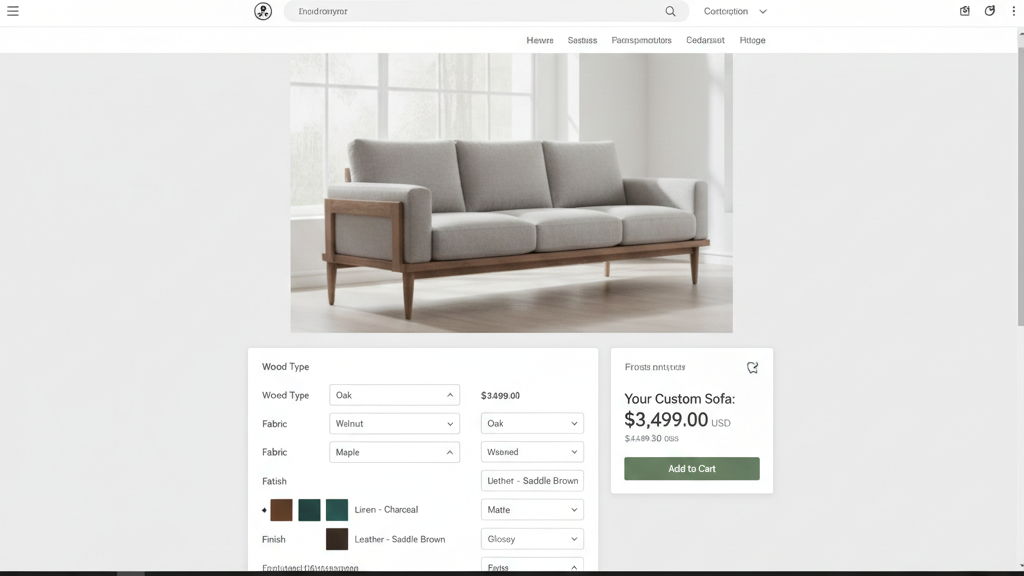
Step 4: Add Dynamic Price Calculation JavaScript
Add this JavaScript to calculate the total price as customers select options:
<script>
document.addEventListener('DOMContentLoaded', function() {
  const basePrice = {{ product.price }};
  const woodSelect = document.getElementById('wood-select');
  const fabricSelect = document.getElementById('fabric-select');
  const priceDisplay = document.getElementById('calculated-price');

  function updatePrice() {
    let totalPrice = basePrice;

    // Add wood modifier
    if (woodSelect.value) {
      const woodModifier = parseFloat(woodSelect.selectedOptions[0].dataset.priceModifier || 0);
      totalPrice += (woodModifier * 100); // Convert dollars to cents
    }

    // Add fabric modifier
    if (fabricSelect.value) {
      const fabricModifier = parseFloat(fabricSelect.selectedOptions[0].dataset.priceModifier || 0);
      totalPrice += (fabricModifier * 100);
    }

    // Format and display
    priceDisplay.textContent = formatMoney(totalPrice);
  }

  function formatMoney(cents) {
    return '{{ shop.money_format }}'.replace('{{amount}}', (cents / 100).toFixed(2));
  }

  // Update price when options change
  woodSelect.addEventListener('change', updatePrice);
  fabricSelect.addEventListener('change', updatePrice);
});
</script>
Step 5: Handle Line Item Properties in Cart
Line item properties automatically appear in:
- The cart
- Checkout
- Order confirmation emails
- Your Shopify admin order details
- Fulfillment partner integrations
To customize how they display in your cart, edit cart-template.liquid:
{% for item in cart.items %}
  <div class="cart-item">
    <h3>{{ item.product.title }}</h3>

    {% if item.properties.size > 0 %}
      <ul class="item-properties">
        {% for property in item.properties %}
          {% unless property.first contains '_' %}
            <li>
              <strong>{{ property.first }}:</strong> {{ property.last }}
            </li>
          {% endunless %}
        {% endfor %}
      </ul>
    {% endif %}

    <p class="price">{{ item.final_line_price | money }}</p>
  </div>
{% endfor %}
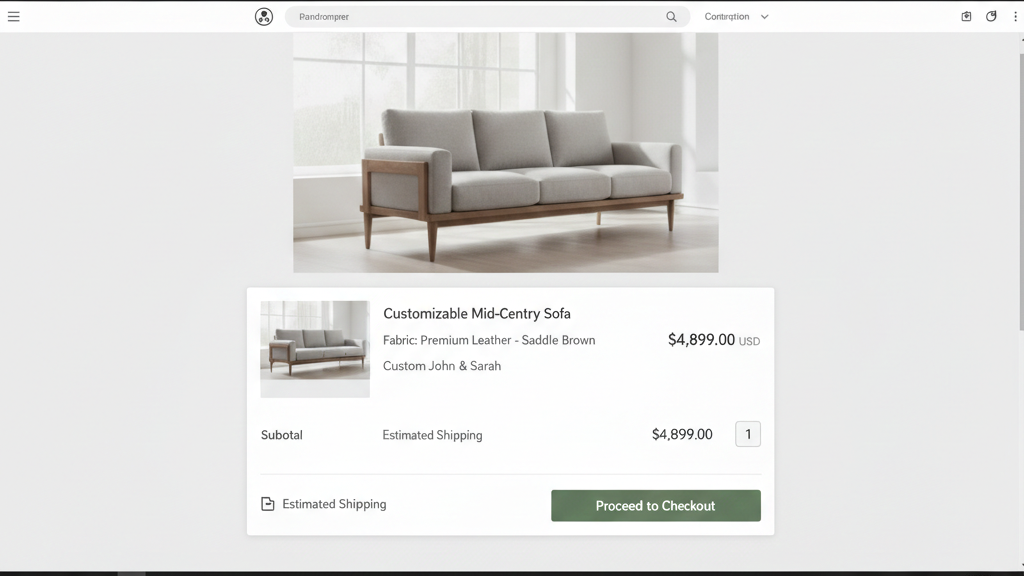
Step 6: Advanced Features
Conditional Options: Show/hide options based on previous selections using JavaScript:
woodSelect.addEventListener('change', function() {
  const selectedWood = this.value;

  // Only show premium fabrics for exotic woods
  fabricSelect.querySelectorAll('option').forEach(option => {
    if (selectedWood === 'Exotic Teak') {
      option.style.display = option.dataset.category === 'premium' ? 'block' : 'none';
    } else {
      option.style.display = 'block';
    }
  });
});
File Uploads: For custom designs or reference images, integrate with apps like “Uploadery” or “Customily” that handle file attachments as line item properties.
Inventory Management: Since you’re not using variants, track inventory by component:
- Create separate inventory items for each wood type, fabric, etc.
- Use Shopify Flow or a custom app to decrement component inventory when orders are placed
- Set up low-stock alerts for individual components
Order Processing: Line item properties flow directly into:
- Shopify admin (visible in order details)
- Order confirmation emails (automatically included)
- Third-party fulfillment systems (via webhooks or apps)
- Manufacturing software (via Shopify API)
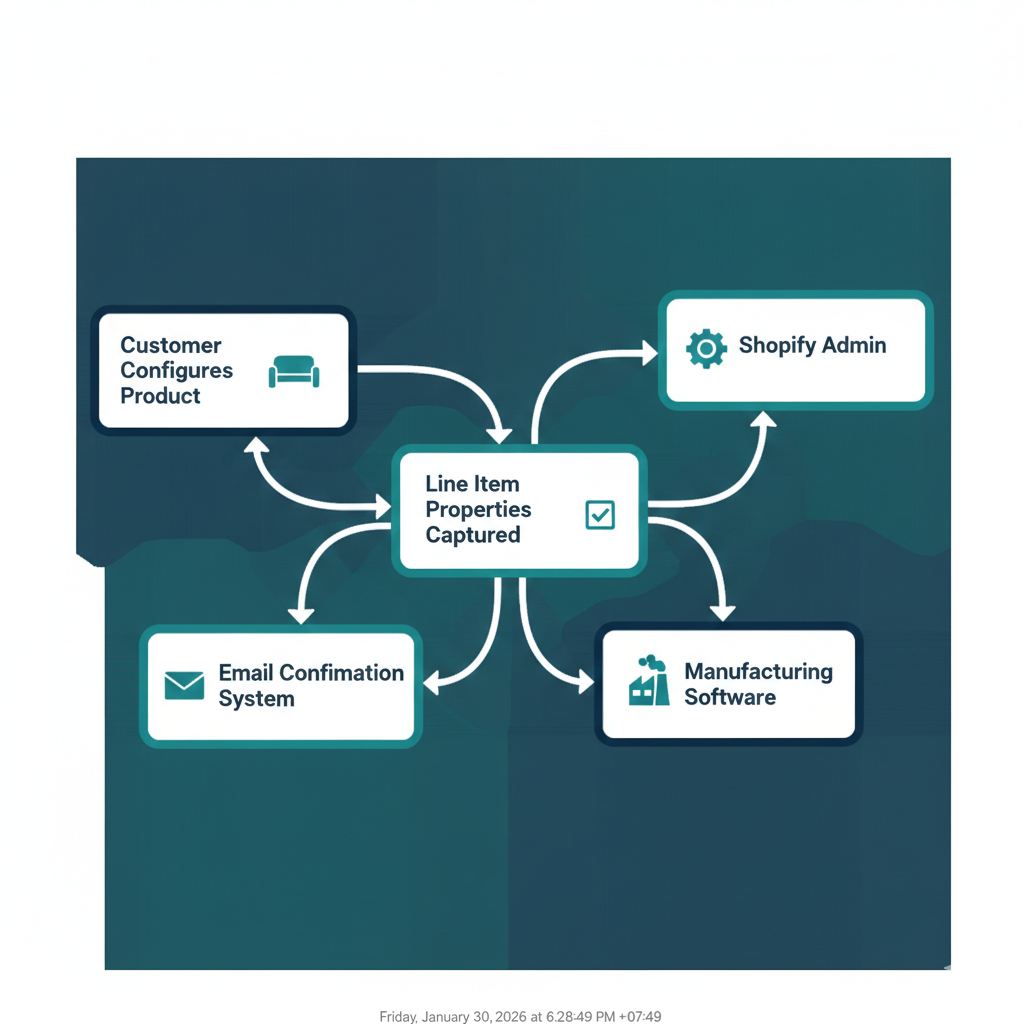
Real-World Case Study: 500+ Combinations for Custom Furniture
The Challenge
A client approached Sleek App with a seemingly impossible challenge. They specialized in high-end custom furniture—specifically, modular seating systems where customers could select:
- 24 wood frame options (various species and finishes)
- 35 fabric types (from standard to designer textiles)
- 8 cushion configurations
- 6 leg styles
- Custom dimensions (width, depth, height)
- Optional features like USB charging ports, storage compartments, and cable management

The mathematical reality: over 500,000 possible combinations.
Shopify’s limit: 100 variants.
They had tried creating separate products for each wood type (resulting in a bloated catalog of 150+ products) but customers couldn’t visualize the full customization possibilities. Their conversion rate suffered, and they were manually handling 60% of orders through email quotes because customers wanted combinations that didn’t exist as separate listings.
The Solution Implementation
Sleek App implemented a variant-free configurator system using the exact approach outlined above:
Phase 1: Product Structure Redesign
- Consolidated 150+ individual products into 12 base product families
- Created comprehensive metafield schemas for all customization options
- Established pricing logic that calculated costs based on component complexity (exotic woods vs. domestic, premium fabrics vs. standard)
Phase 2: Custom Configurator Build
- Developed an interactive product configurator with real-time 3D visualization
- Implemented conditional logic (certain fabrics only available with specific frame styles)
- Added dimension customization with automatic price adjustments based on square footage
- Integrated file upload for custom embroidery designs
Phase 3: Backend Integration
- Connected line item properties to their manufacturing fulfillment system
- Set up component-based inventory tracking (tracking fabric yards, wood board feet, etc. rather than finished product variants)
- Created automated work orders that fed directly to their production floor
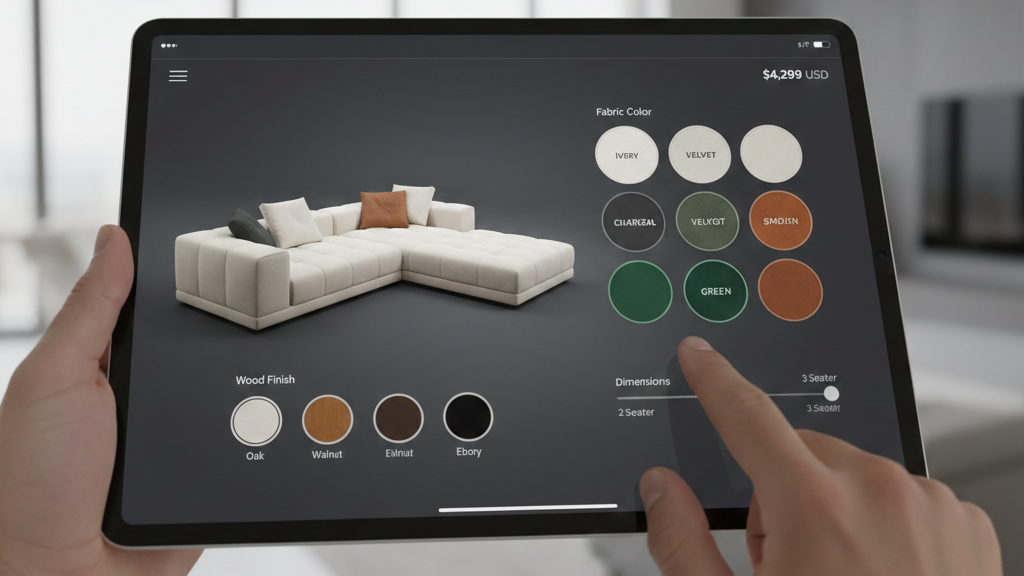
The Results
The transformation was dramatic:
Customer Experience:
- Product discovery improved significantly—customers could now see all options on a single product page
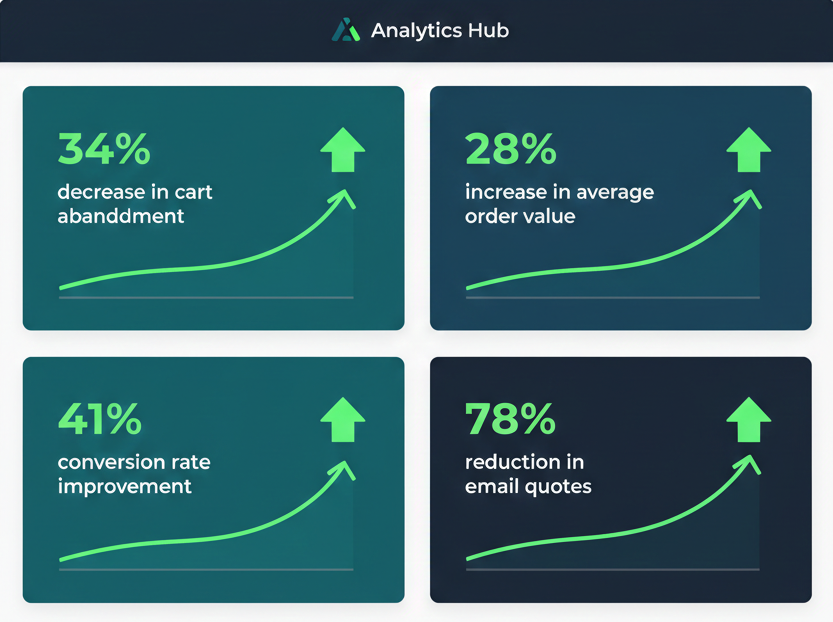
- Cart abandonment decreased by 34% because customers could complete checkout immediately instead of requesting quotes
- Average order value increased by 28% as customers upgraded to premium materials they could now easily see and price
Operational Efficiency:
- Email quote requests dropped by 78%—most orders now came through the automated configurator
- Order processing time decreased by 52% with line item properties flowing directly into manufacturing systems
- Product catalog became manageable—12 products instead of 150+
Business Growth:
- Conversion rate improved by 41% within the first quarter
- They launched 3 new customizable product lines using the same configurator framework
- Customer satisfaction scores increased due to accurate order fulfillment (no more miscommunication from email orders)
The client reported that the configurator “unlocked our entire business model” and became their primary competitive advantage in a crowded market.
Important Considerations
When to Use This Approach:
- Products with 4+ option sets
- Products with 100+ variant combinations
- Products with text customization, file uploads, or customer-provided specifications
- Products where options affect price in complex ways
- Build-to-order or made-to-order business models
When Variants Still Make Sense:
- Products with simple options (2-3 option sets, under the Shopify 100 variant limit)
- Inventory tracking is critical at the SKU level
- You need variant-specific images, prices, or SKUs for each combination
- Products sold on external marketplaces that require variant structure
Technical Skill Requirements:
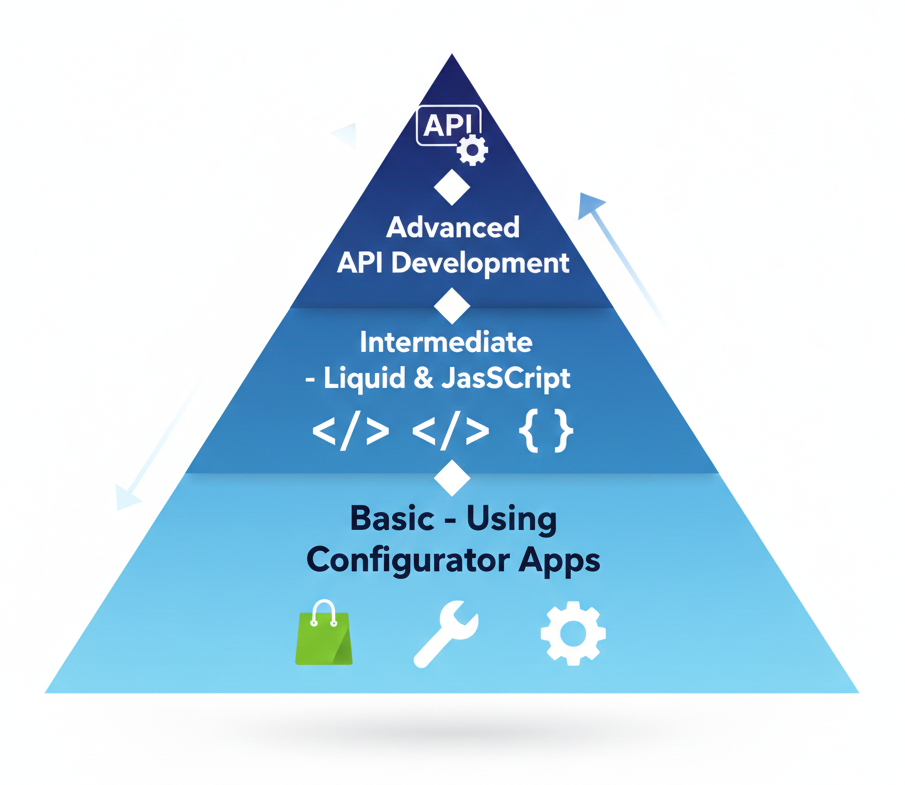
- Basic: Using existing configurator apps (Customily, Infinite Options, Product Customizer)
- Intermediate: Editing Liquid templates and basic JavaScript
- Advanced: Custom app development with Shopify APIs for complex pricing or inventory logic
Start Selling Without Limits – break the Shopify 100 Variant Limit
The Shopify 100 variant limit doesn’t have to limit your business. With line item properties and custom configurator logic, you can offer infinite product customization while maintaining a clean catalog, streamlined operations, and excellent customer experience.
Ready to break through the variant barrier?
Start by implementing the basic configurator structure outlined above for your most complex product. Test it with a small group of customers, refine the user experience, then expand to your full catalog.

Need help building a custom solution for your store?
The team at Sleek App specializes in exactly these kinds of technical implementations—turning Shopify’s constraints into competitive advantages. Whether you need a simple product configurator or a comprehensive custom solution with 3D visualization, dynamic pricing, and fulfillment integration, we’ve solved this problem dozens of times.
Get started today:
Email us directly at support@sleekapp.io with details about your product customization needs and schedule a free consultation.
To find out more, visit our Shopify service page.
Let’s build a configurator that turns your complexity into your greatest strength.
Sleek App is a Shopify development agency specializing in custom solutions for complex e-commerce challenges. We turn technical limitations into business opportunities.
Comments
Loading comments…